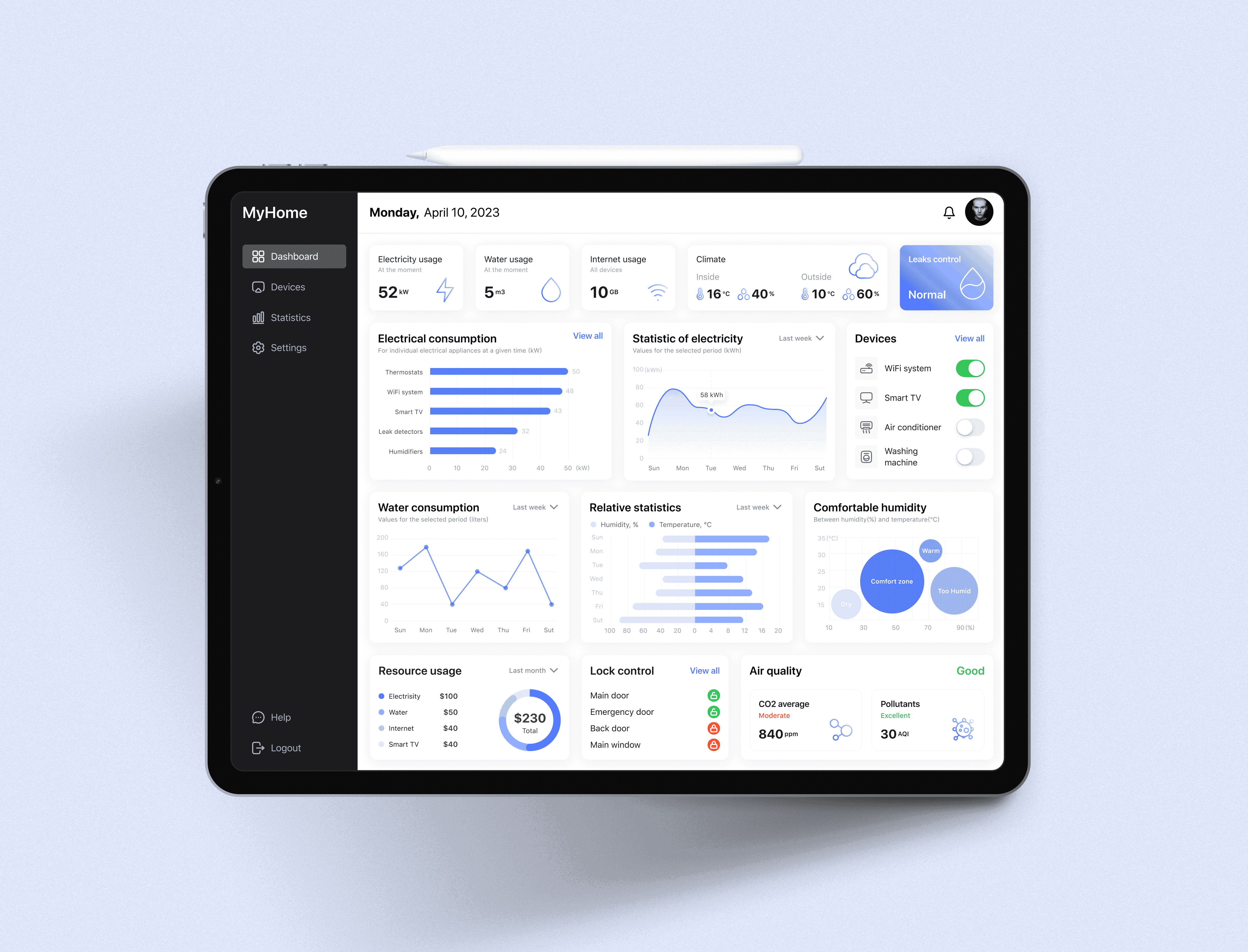
Dashboard for the Smart Home system
Visualization of data and design framework for the primary interface of an iPad-based Smart Home application, which is a dashboard with the most important and relevant information for the user
MY ROLE
Solo UI/UX Designer
PROJECT TYPE
Case Study
Task
Create the primary interface for the iPad Smart Home application, which functions as a comprehensive dashboard, delivering users essential and real-time data:
• Quickly understand if everything is okay at home
• Provide statistics of electricity, water, heating, internet usage
• Provide insights into the user's expenditures on utility services
The main catch
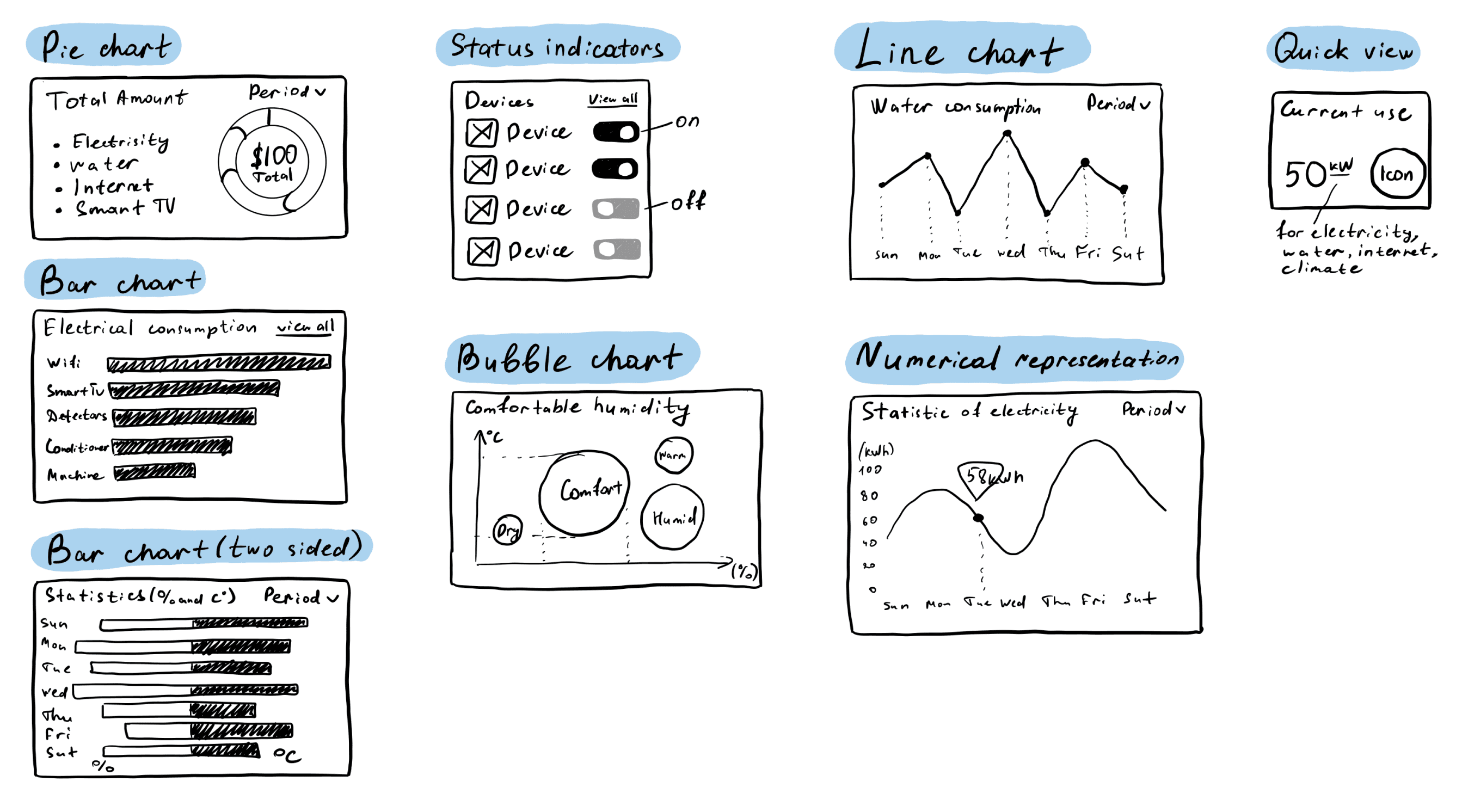
Use a mandatory list of chart types:
• Pie chart
• Bar chart (two-sided: one side is humidity, the other is temperature)
• Line chart
• Status indicators (on, off)
• Bubble chart
• A numerical representation of data with dynamics indices
• Any other useful types of charts
01 DATA REPRESENTATION
Sketches
Before creating the wireframe, I created a simple sketch of every widgets, according to mandatory list of charts.
Mid-Fidelity Wireframe
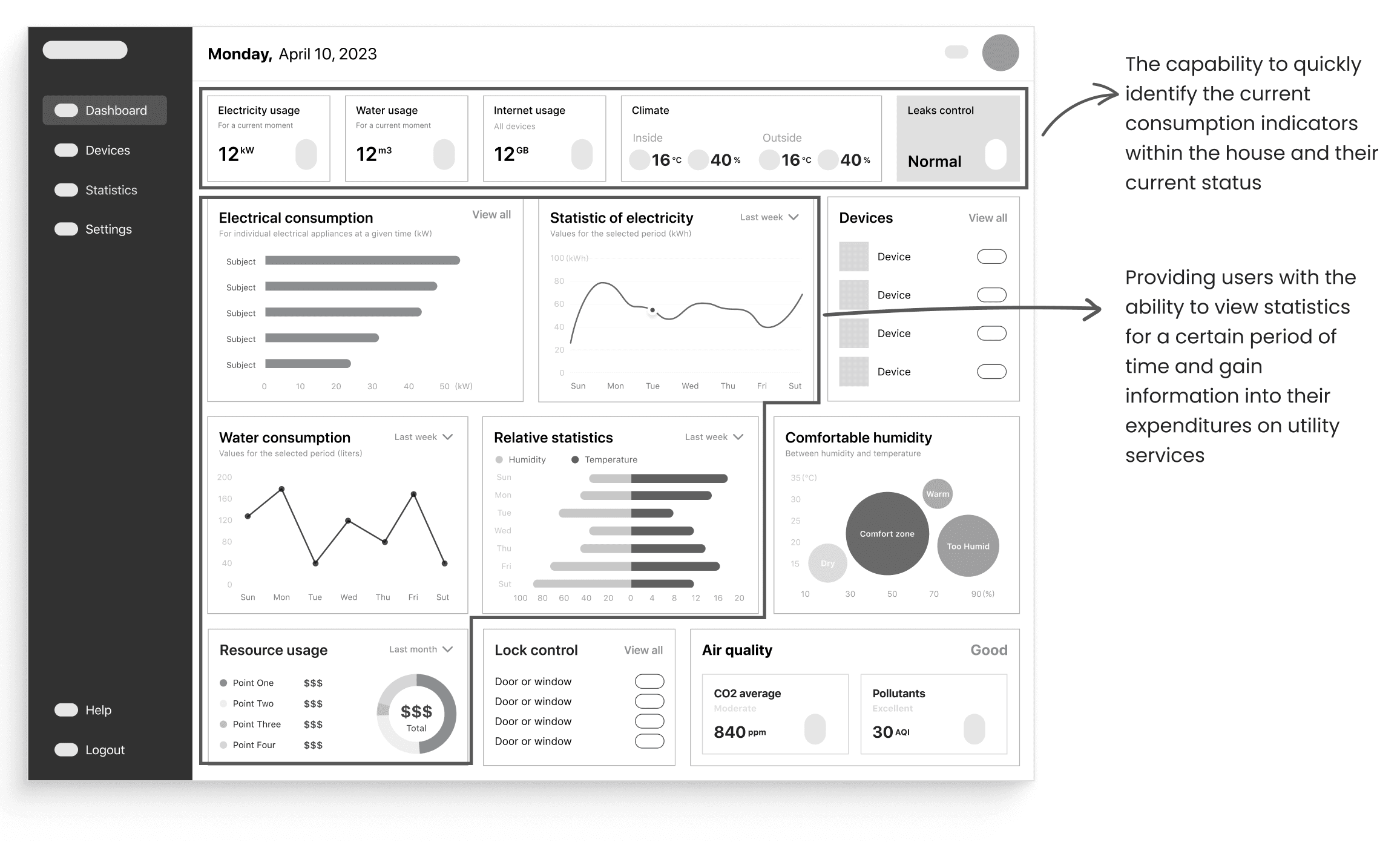
After crafting initial sketch versions of the primary widgets, I started creating the mid-fidelity wireframe of the dashboard.
I decided to use the F-pattern layout to facilitate quick and efficient scanning of crucial information for users.
02 DESIGN SYSTEM
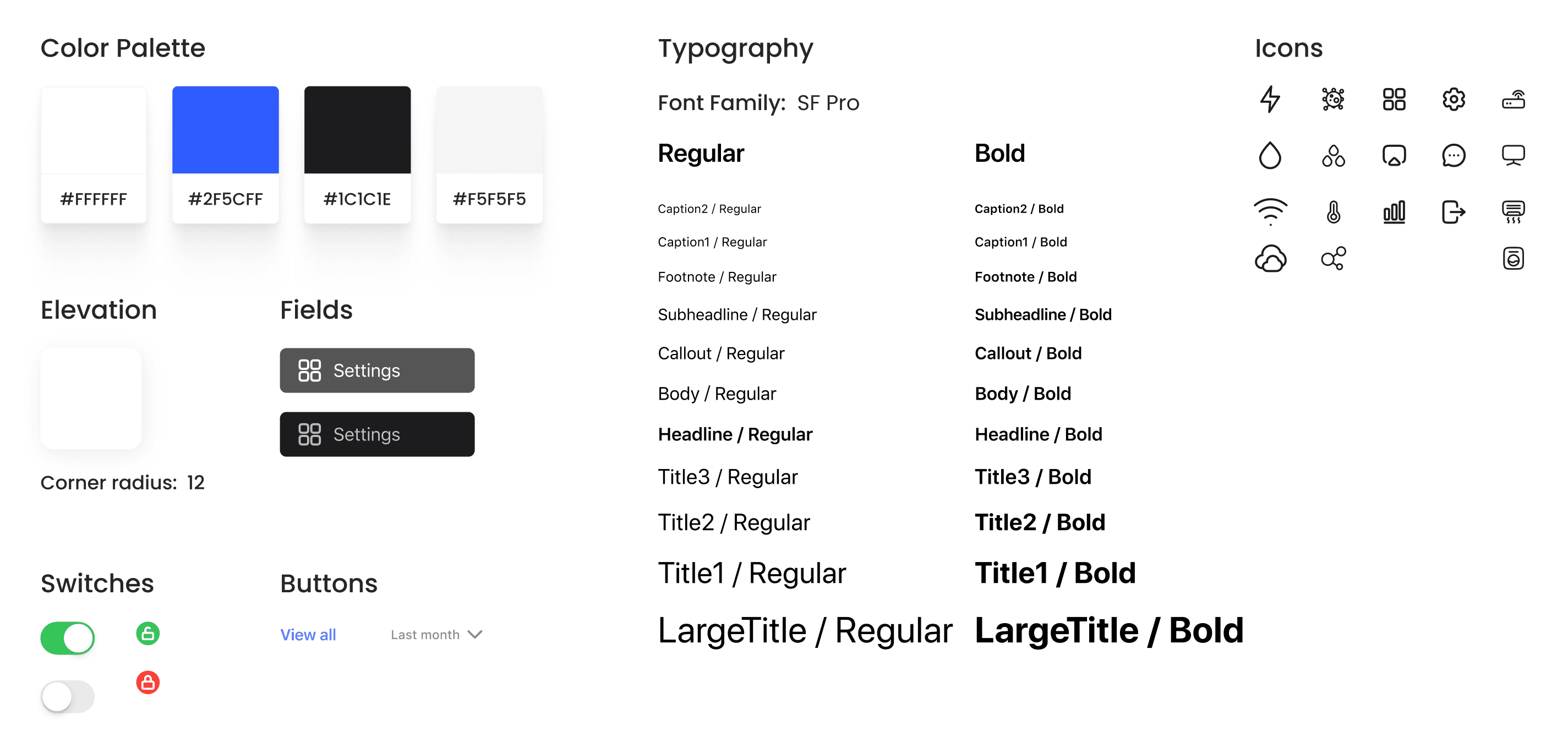
UI Kit
03 FINAL DESIGN
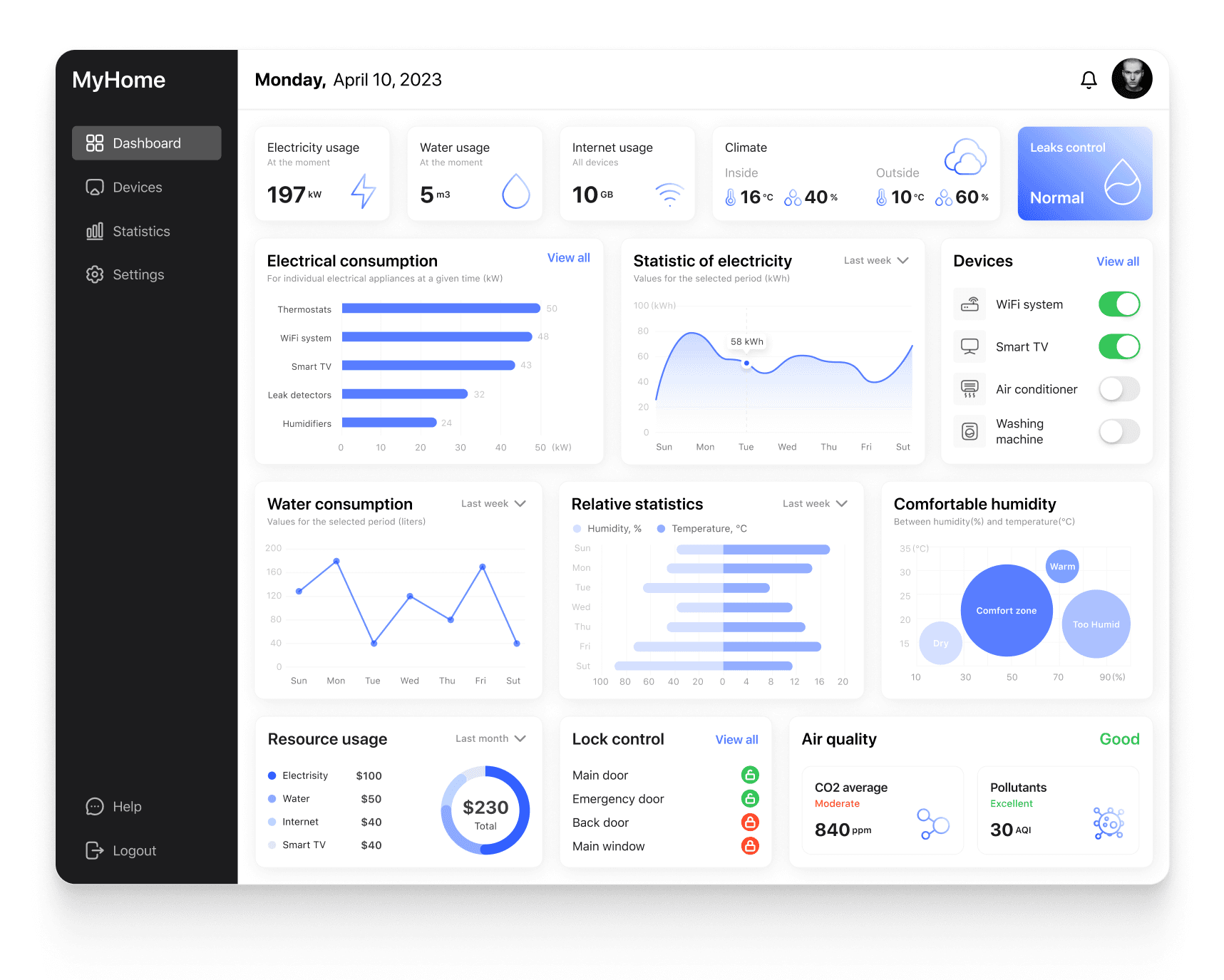
High-Fidelity UI Design
Using the atomic design approach, I created sets of components and created a high-fidelity design for the main dashboard page showing all the data on consumption and working devices at a given time.
04 CONCLUSION
Project summary
Throughout working on the project, I created basic sketches to display each category of information that is necessary for the user. Created a low-fidelity prototype for the main page, based on the F-pattern for better scanning of information by the user.
The final touch was the development of a high-quality user interface design in accordance with Apple's user interface recommendations.
Let’s
connect!
© 2023 Daria Shagina | Built with Framer