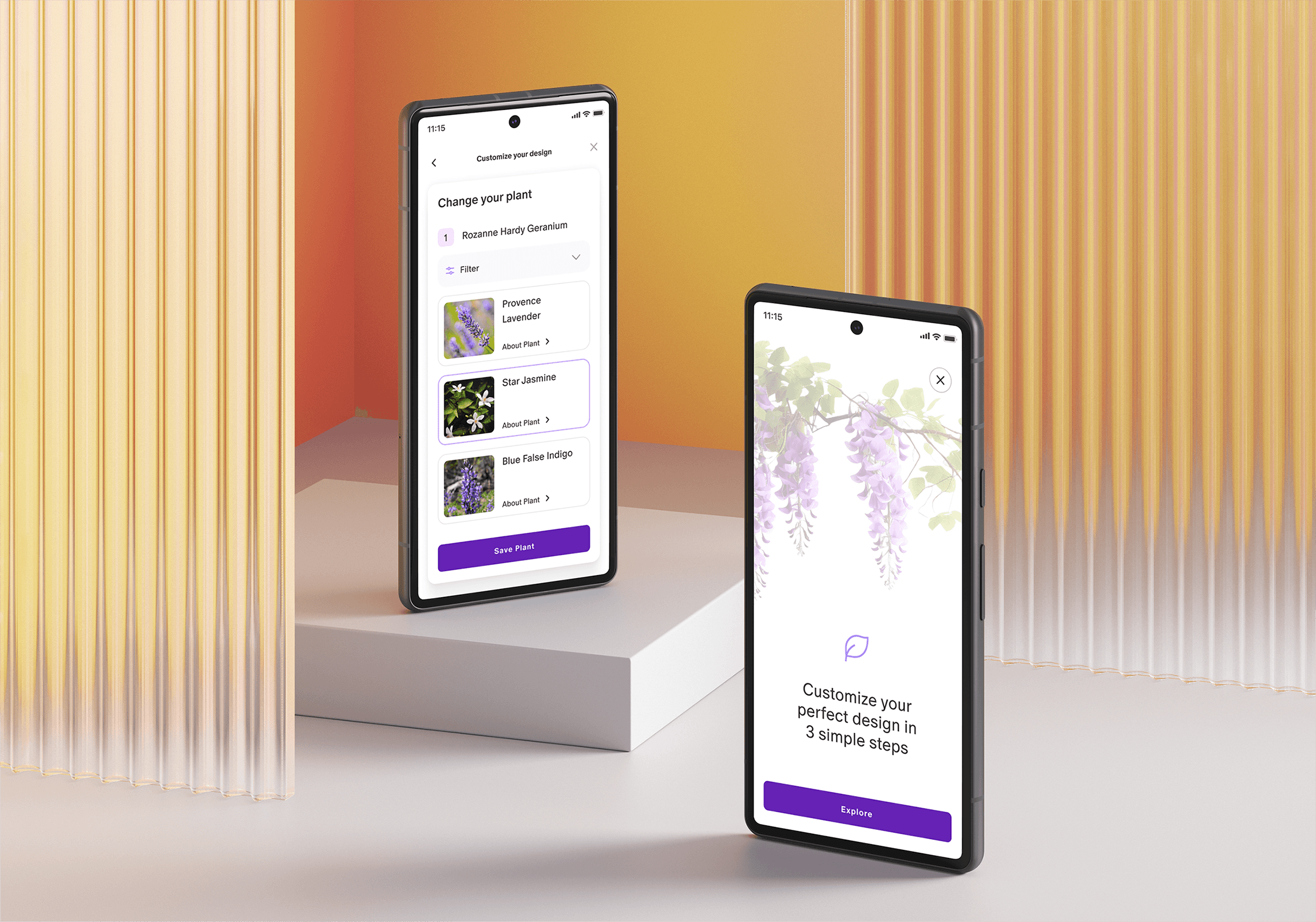
Customizable garden tool design
Enhancing user engagement and reducing support requests.
MY ROLE
UI/UX Designer
01 UNDERSTANDING
Task
Develop a user-friendly, customizable garden design tool to streamline the landscape design process for users and improve engagement on the platform.
Business Goals
Increase user engagement and retention by offering a unique and interactive customization experience that encourages repeat visits.
Reduce the number of customer inquiries to the support team related to plant substitutions by providing clear, user-controlled customization options.
Mission for User
Easily create a personalized garden design by selecting plants, layouts, and features that suit their vision and space requirements.
Target Audience
Homeowners, gardening enthusiasts, landscape hobbyists, and individuals looking for a quick solution to find suitable plants for their specific hardiness zone without extensive research.
Success Criteria
Achieve a measurable increase in purchases made through the customization tool, alongside a reduction in customer support queries related to plant customization. This will be evaluated by tracking conversion rates and the volume of inquiries regarding plant substitutions.
My role involved:
02 CONTEXT
My initial task was to design a customizable garden planning tool for a digital platform for landscape design enthusiasts. Users often faced challenges in replacing plants within pre-designed garden collections. My role was to create an intuitive, all-in-one customization experience that allowed users to easily swap plants based on their preferences and hardiness zones, reducing their reliance on support for customization inquiries.
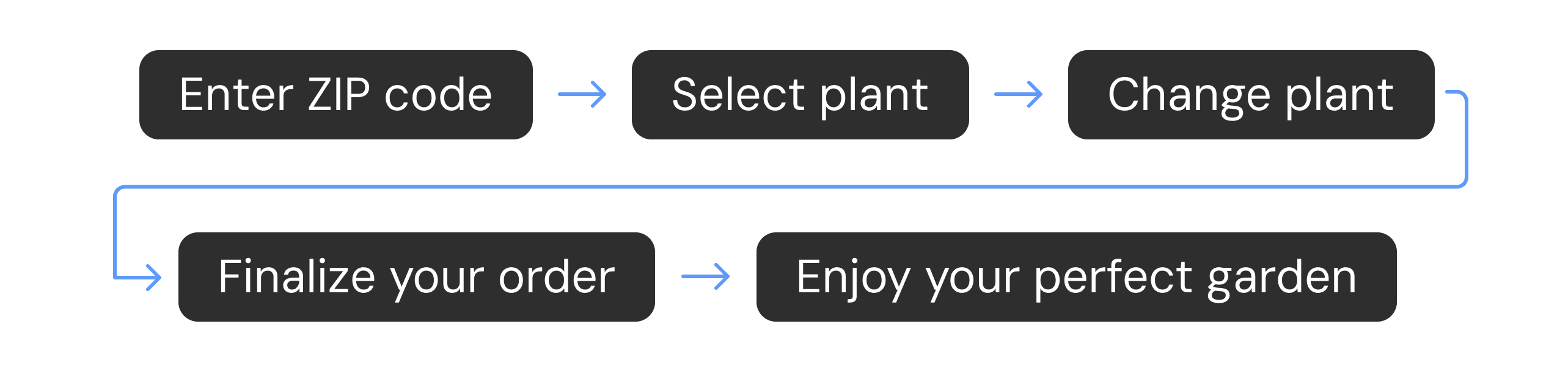
03 DESIGN PROCESS STEPS
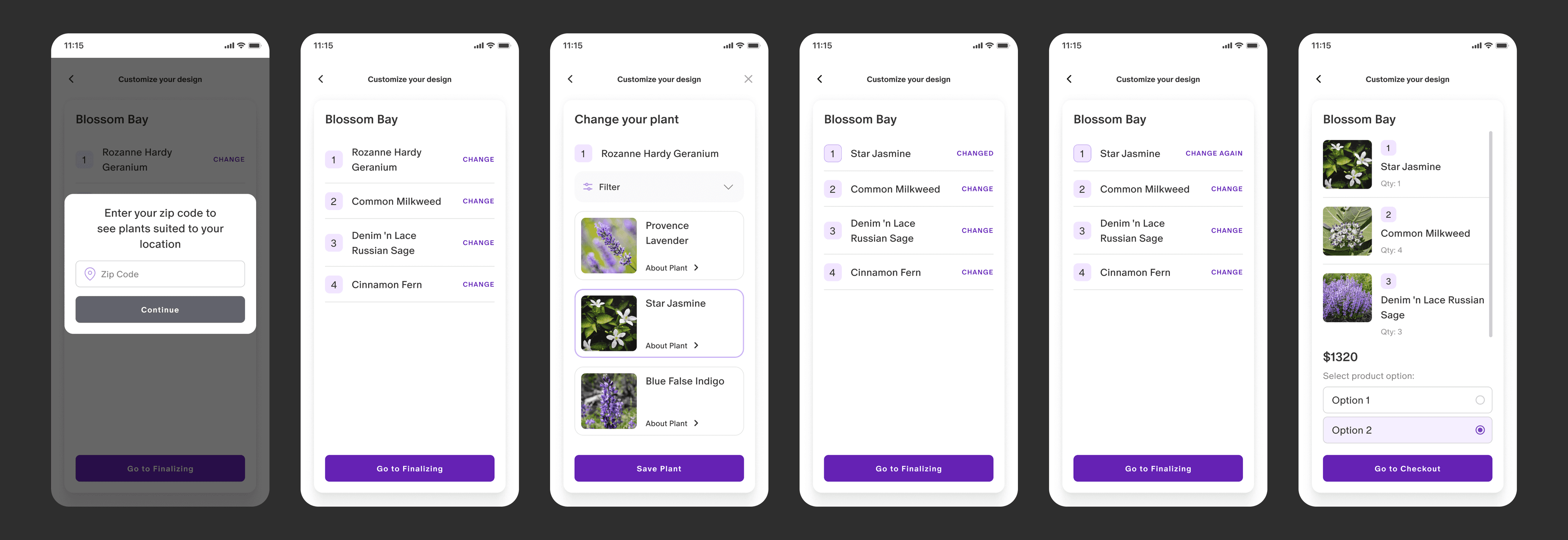
Phase 1 – Initial tool launch
Action: Launched the design without onboarding, starting with a simple prompt to enter the user’s zip code.
Purpose: To get the tool in front of users quickly for early feedback, allowing them to dive in directly. Initial onboarding was minimized to assess user interaction with essential features.
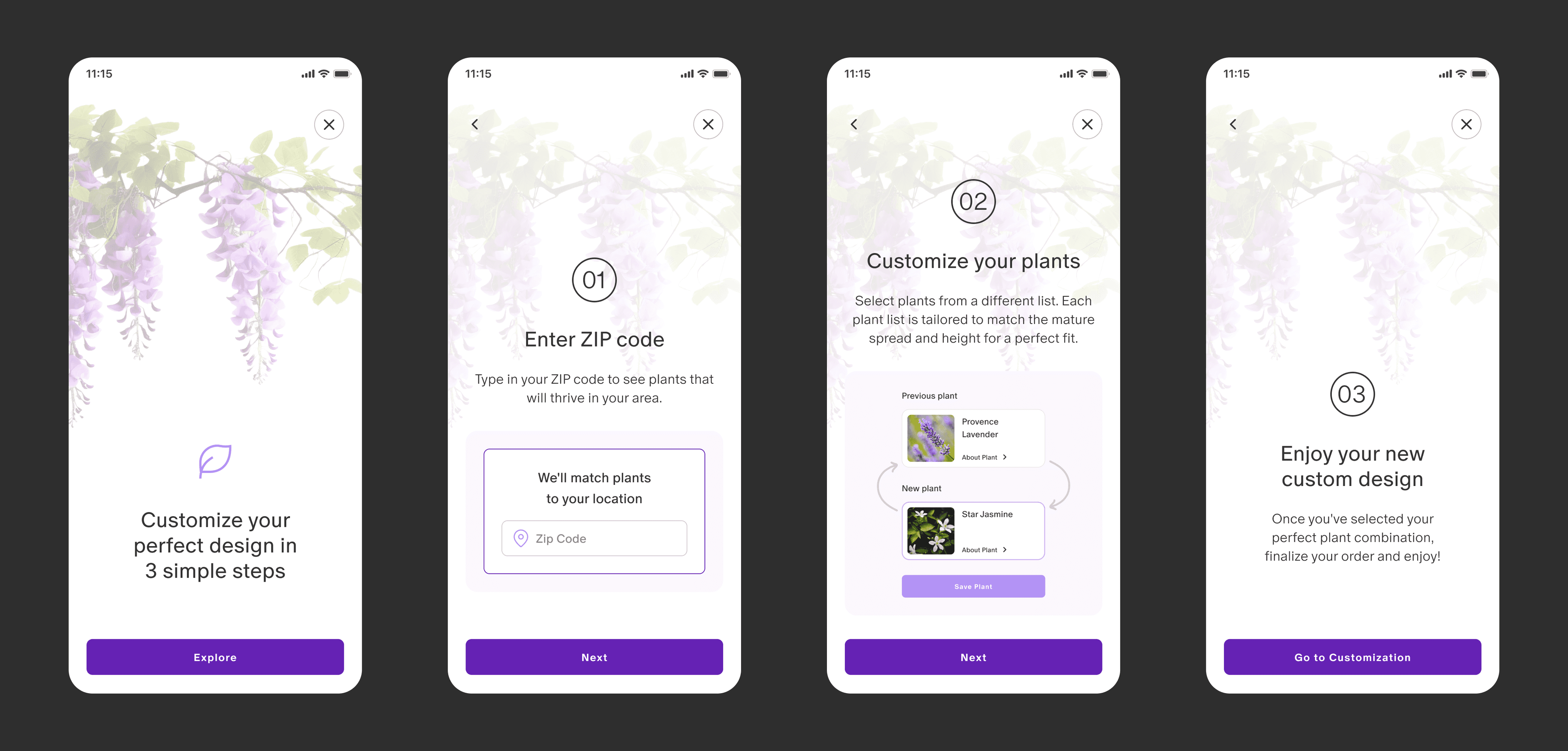
Phase 2 – Onboarding integration
Action: Introduced an onboarding process explaining the purpose and benefits of the tool.Purpose: To guide users on how to use the tool and increase awareness of its full functionality, reducing potential confusion and supporting a better user experience from the start.
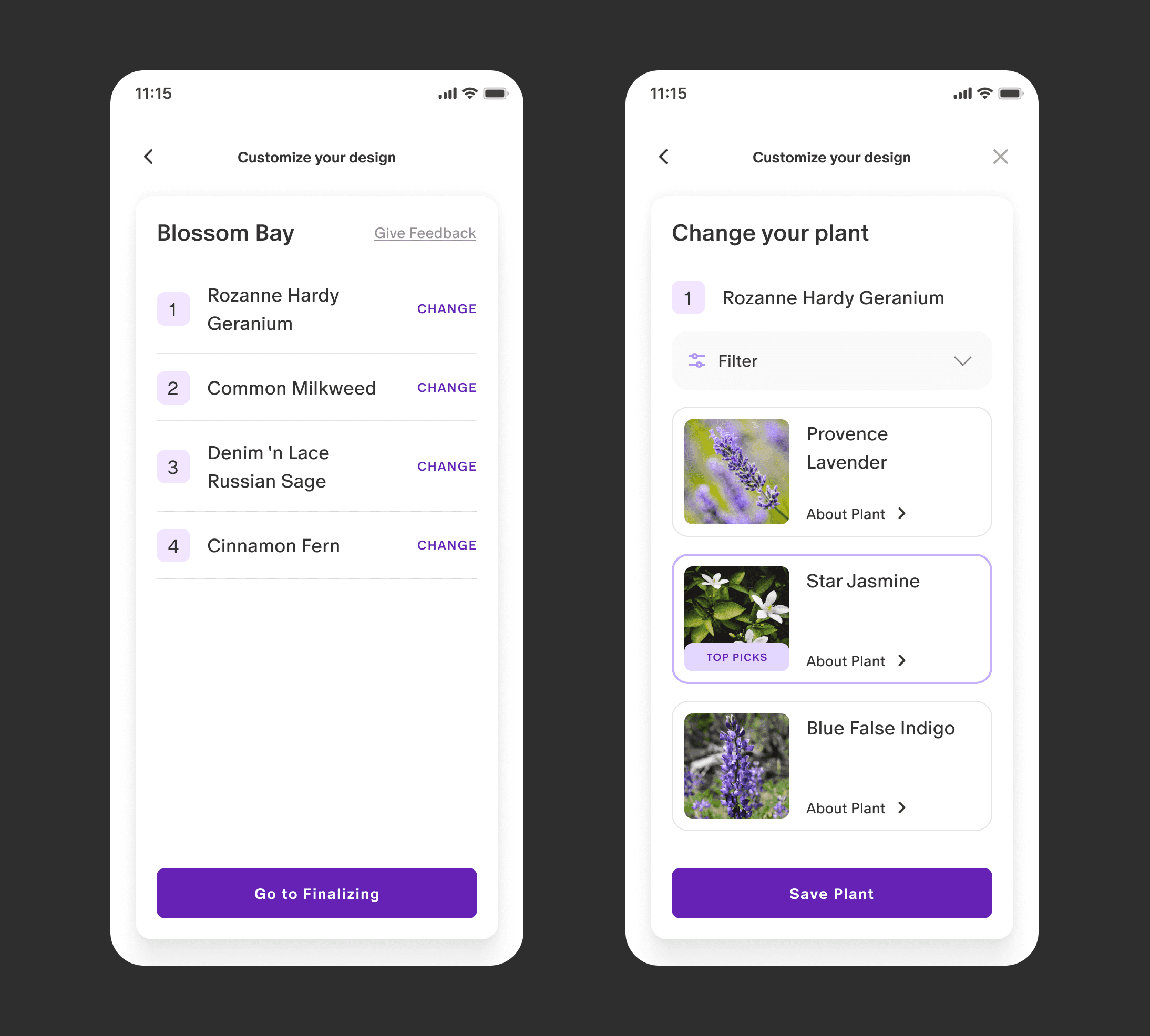
Phase 3 – User feedback & engagement enhancements
Action: Added a "Give Feedback" button, along with a “Top Picks” label for select plants.
Purpose: The feedback button enabled users to share thoughts easily, supporting product research. The "Top Picks" label was added to showcase highlighted design recommendations within the tool, guiding users toward curated plant selections.
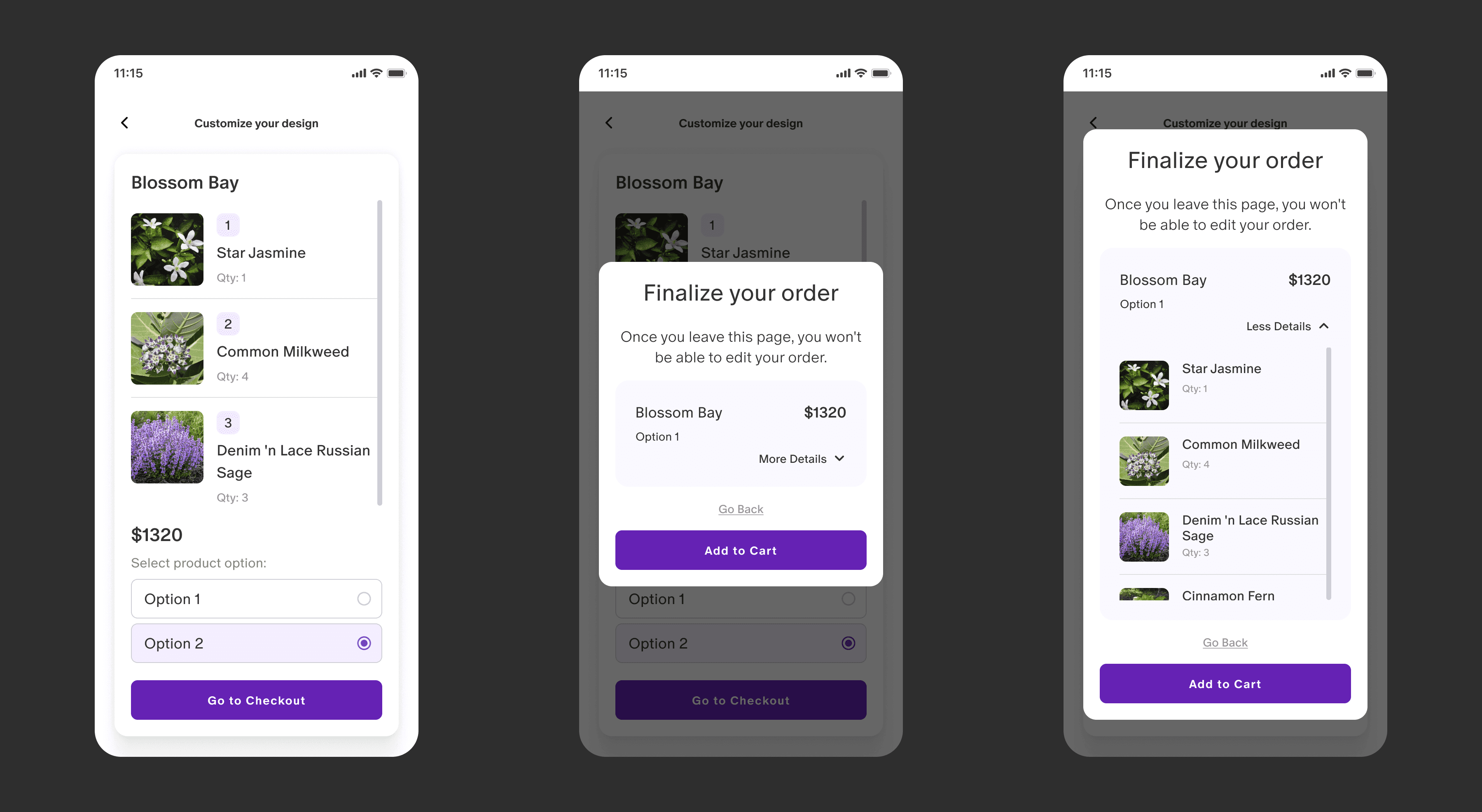
Phase 4 – Order confirmation
Action: Introduced a “Finalize your order” popup with a summary of what the user would receive, including the price.
Purpose: To confirm the user’s selection and ensure clarity on their order, acting as a double-check to enhance user confidence and reduce errors in finalizing purchases.
Phase 1 – Initial tool launch
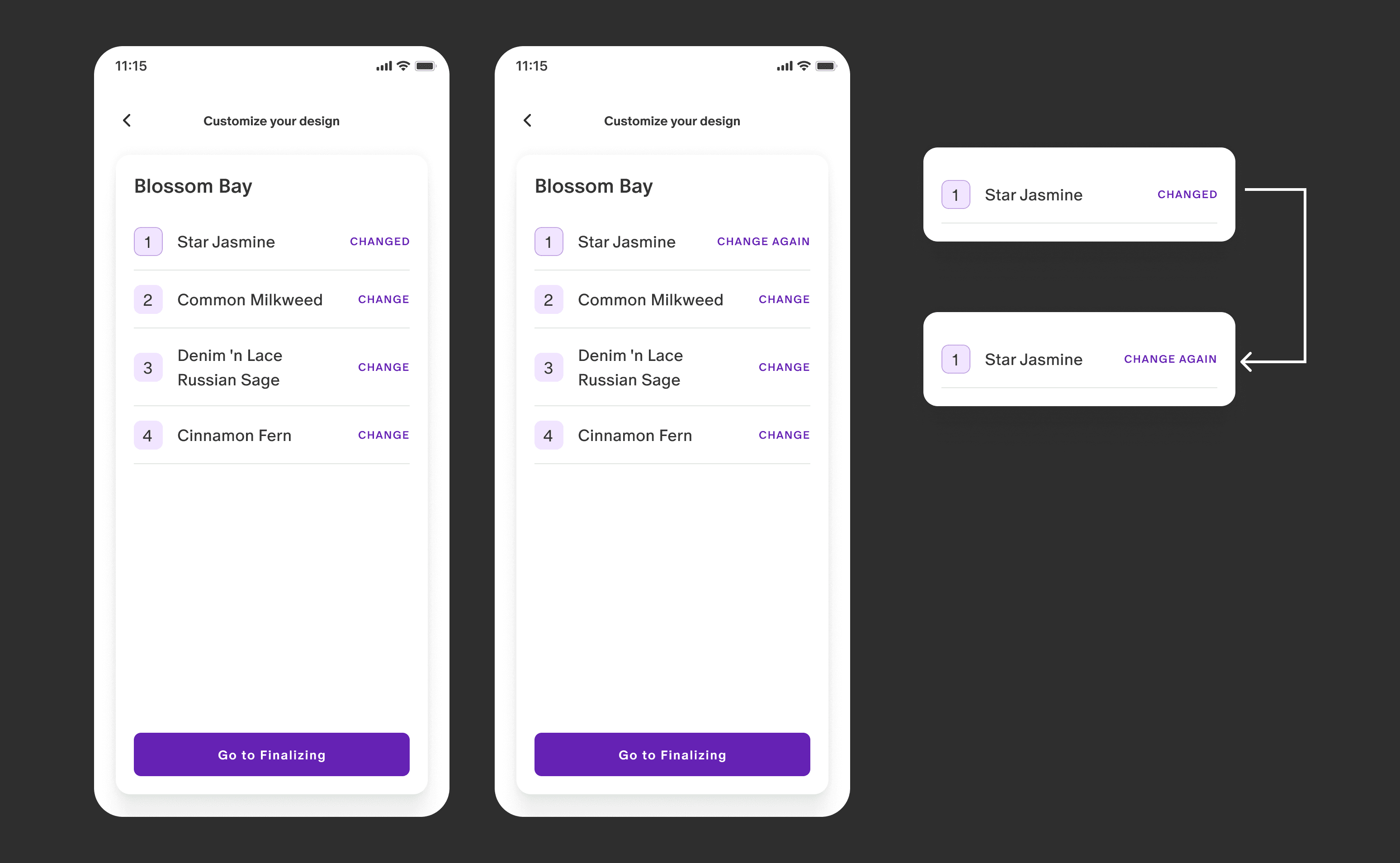
A ‘Changed’ label was added to indicate a plant substitution, which switched to ‘Change Again’ after 10 seconds, allowing users the option to modify their selection further.
Phase 2 – Onboarding integration
Phase 3 - User feedback & engagement enhancements
To gather direct insights from users, a “Give Feedback” button was added, making it easy for them to share their thoughts.
Additionally, the "Top Picks" label was introduced to showcase highlighted design recommendations within the tool, guiding users toward curated plant selections.
Phase 4 - Order confirmation
04 CONCLUSION
Project summary
This project focused on creating a customizable garden planning tool that guided users through each step, from setup to order confirmation.
Key features like onboarding, feedback options, and a final order summary enhanced usability and accuracy, meeting both user needs and business goals.
Let’s
connect!
© 2023 Daria Shagina | Built with Framer